👀 View strikes
The goal
You might be upset by a member who seems to repetedly not follow the clan rules. By viewing the strikes, you can have a summary of everything that have been reproached to them.
The command
There are lots of customisable ways to view strikes but all start with the base command /strike list .
The parameters
Required
view: It has 2 options, player and strike. Player will show a list of accounts with strikes and then a list of the strikes they have. Where as strike will show a detailed list of strikes individually. Images bellow display difference.
.png)
Player view
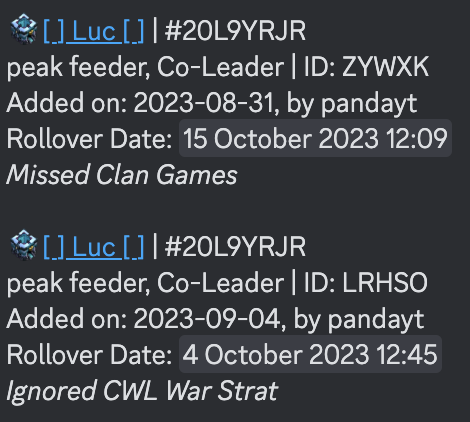
Strike view
Optional
clan: It will show the strikes for a specific clanplayer: It will show only the strikes of a specific player. It can be combined withclan.strike_amount: Only show players with more strikes than this amount. It must be combined with player view.view_expired_strikes:view strike that have rolled over.view_non_family: see the strikes you set for a player that are not in your clan anymore.